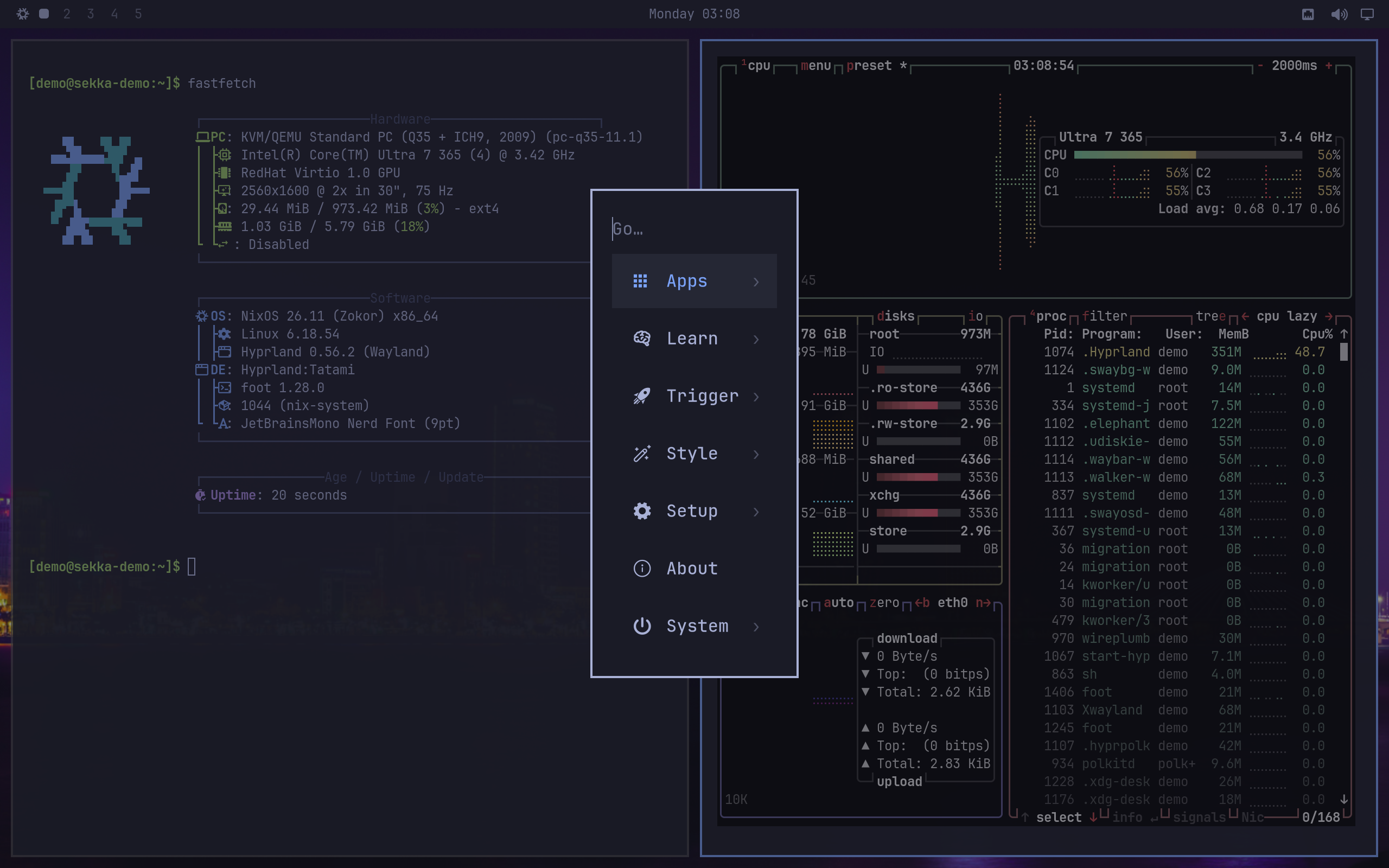
Tatami is a Hyprland desktop for NixOS, inspired by Omarchy 4 and adapted for NixOS without home-manager. Waybar, Walker, Mako, SwayOSD and hyprlock are styled to match, and one Rust program, tatami, replaces Omarchy's scripts. It is not Omarchy and is not affiliated with Omarchy or Basecamp.
Tatami's menu (Super + Space) in a disposable test VM. The bar still shows the NixOS logo. 2560 × 1600, not upscaled
The look
Tokyo Night throughout, JetBrains Mono, square corners and a 2px blue border on the focused window. Windows sit 5px apart and 10px from the screen edge. No blur, no shadows. Twenty-three wallpapers come with recorded sources; Omarchy's own were left out because their licenses are unclear.
The bar
Twenty-six pixels: the menu, workspaces 1 to 5, a centred clock with recording, night-light, do-not-disturb and Keep Awake indicators, the weather, then the tray, Bluetooth, network, audio, display and battery. The header of this site is a copy of it.
Menu and launcher
One menu holds Apps, Learn, Trigger, Style, Setup, About and System. Typing searches menu entries and applications together. Applications run as services of their own: a memory-pressure kill of one cannot end the session, and restarting the launcher cannot end them.
Notifications
Tatami reloadedHyprland's configuration applies from the next login
380px cards with a 2px accent border, and an on-screen display at the bottom for volume and brightness.
The keys you'll want first
Super + Space
The Tatami menu
Super + Alt + Space
Applications
Super + Return
A terminal
Super + K
Every key binding
Super + Escape
Lock, suspend, restart, shut down
Super + C / V / X
Copy, paste and cut, in terminals too
Super + Ctrl + Space
Change the background
Super + Ctrl + D
Displays
Super + Ctrl + I
Keep Awake
Super + R
Reload Tatami after an update, without logging out
Laptops and docks
Close the lid with an external display connected and the built-in display turns off, its windows move to the other screen, and the laptop keeps running. Open the lid and it comes back where you arranged it. A display you turn off stays off whenever the same displays are connected again, until you turn it on or log in again. If a display change leaves a window off screen, Tatami brings it back.
Not yet proven Lid handling and docking have been tested with simulated displays and a simulated lid, not across physical docks, cables and panels. Unlike a Mac, a docked laptop also stays awake with its lid closed on battery power.
Keep Awake
For long downloads, builds or overnight work, turn on Keep Awake with the coffee cup in the bar or Super + Ctrl + I. It holds off sleep, automatic locking and lid-close sleep until you turn it off, and remembers the choice at your next login.
It checks that the hold is real. A red cup means protection could not be verified and needs your attention. It cannot prevent power loss or a firmware or thermal shutdown.
On any NixOS system
Tatami works without the rest of Sekka. Add Sekka's flake, import the module and enable it; a Tatami session appears on the login screen beside your other desktops, which it leaves alone.
You need a display manager that offers Wayland sessions. Sekka's binary cache is configured by the full Sekka system, not by this module, so Tatami's own packages build on your machine unless you add the cache yourself.
What Tatami leaves out
Arch package management, Limine and snapper, Plymouth theming and the first-run script.
Theme and font switching, web apps, the webcam overlay, sharing, reminders, dictation and AI agents.
A notification history panel and network statistics; audio and Bluetooth are the wiremix and bluetui terminal programs.
Rough edges
Hyprland 0.56.2 applies monitor rules again on every reload, so a monitor changed outside Tatami is turned back by the next reload.
A session started by an older Tatami keeps its Hyprland configuration until the next login.
The weather beside the clock comes from wttr.in and Open-Meteo. wttr.in finds your place from your IP address unless you set one in Setup › Weather.